Capture the cheque
One document per Scan action, duplex capture at 200 DPI, automatic image sizing and local front/back previews.
Canon · Windows capture client
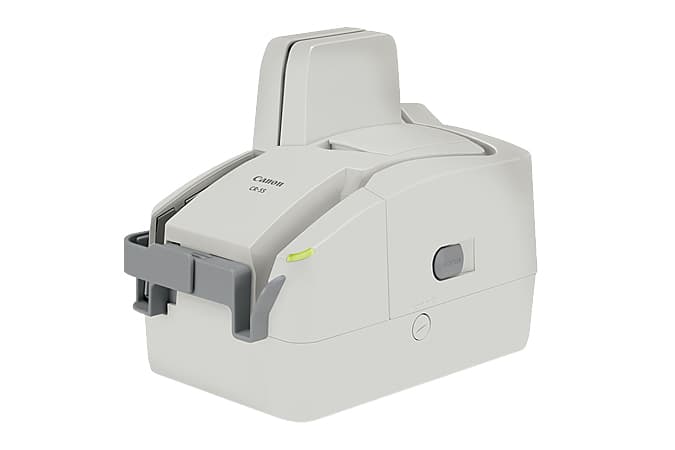
Evaluate your existing Canon CR-55 for a ChequeDB capture station. Confirm compatibility with your Windows workstation before committing to a rollout of this legacy model.
NATIVE CAPTURE
One document per Scan action, duplex capture at 200 DPI, automatic image sizing and local front/back previews.
Lossless PNG for front and back images in B/W, grayscale or color.
Review the MICR line alongside both cheque images. Unreadable characters remain visible so your team can identify items that need attention.
Scan on your Windows workstation, even without a network connection. Available capture modes depend on your scanner configuration.
FROM CAPTURE TO CONTROLLED PROCESSING
Start with local capture, configure the handoff, then use the processing suite to extract fields and route cheques for review. The current scanner client does not upload automatically.
Capture front/back images and raw MICR on the Windows workstation.
Native clientChoose how saved scans reach your processing workflow and who can access them.
Scanner integrationUse cheque OCR and validation to turn submitted images into fields your team can review.
Cheque data extractionRoute exceptions, apply approval steps and keep processing history in the management workflow.
Cheque managementBuilding the handoff into your own application? See the bank check OCR API. Capture and OCR do not themselves submit a deposit to a bank.
DEPLOYMENT CHECK
CR-55 compatibility with Windows 10/11 remains unverified. Confirm workstation compatibility, image quality and MICR readability before production use.
Confirm that your scanner and Windows workstation meet your capture and review needs in a representative pilot before production use.
Batch scanning, endorsement and automatic upload are outside the current native client workflow.
This model is included in ChequeDB’s Windows scanning software. CR-55 compatibility with Windows 10/11 remains unverified. Confirm workstation compatibility, image quality and MICR readability before production use.
No. The current client saves images locally and shows raw MICR. A separately configured import or API handoff is required to connect capture to ChequeDB OCR, validation, review and approval.
The client uses 200 DPI with B/W, grayscale and color depending on your scanner configuration. Lossless PNG for front and back images in B/W, grayscale or color.
CR-55 compatibility with Windows 10/11 remains unverified. Confirm workstation compatibility, image quality and MICR readability before production use. Then test the downstream handoff with representative cheques, operator permissions and exception handling. Scanner capture alone does not submit a bank deposit.