Cheque Processing Software System for OCR, Review, and Reconciliation
Cheque processing software turns captured cheque images into validated, reviewable records. Chequedb connects OCR and MICR extraction to exception review, approvals, reconciliation, and auditable export in one controlled workflow.
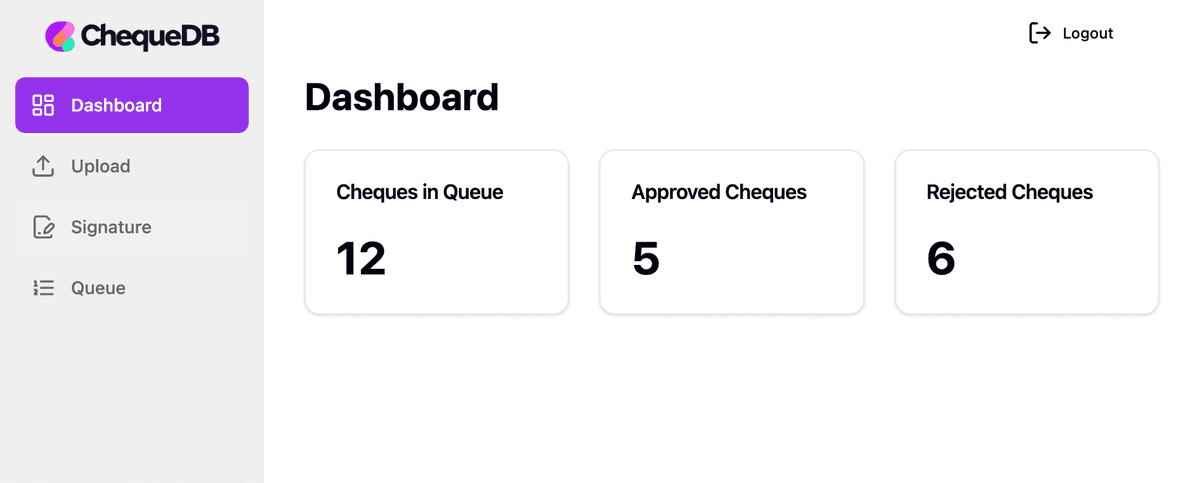
One System for the Full Cheque Processing Lifecycle
This route owns the operating workflow from capture handoff through OCR and MICR, validation, exception review, approval, reconciliation, and export. Use check scanning software for scanner, mobile, and batch image intake; cheque data extraction for field parsing and validation; the bank check OCR API for JSON, webhooks, and SDK integration; and MICR reader software for control-line and device compatibility.
Built for controlled banking and business workflows
Manual Processing Problems
- ✕Repeated keying slows processing and creates inconsistent records
- ✕Manual handoffs make exceptions harder to assign and resolve
- ✕Disconnected checks make duplicate or conflicting items easier to miss
- ✕Compliance risks and audit trail gaps
Chequedb Solution
- Concurrent queues sized to the representative workload
- Flat-rate licensing without per-scanner or per-workstation fees
- Confidence and validation signals routed to human review
- Audit history for source images, extracted fields, decisions, and exports
Powerful Features
Connect capture, extraction, validation, review, approval, reconciliation, and export
AI-Powered OCR
Extract MICR lines, printed text, handwritten amounts, dates, and payee names with field-level confidence and review routing.
Risk and Fraud Review
Combine duplicate checks, amount and date validation, signature-review signals, and configurable risk rules. Route flagged items with reasons for human review.
Mobile Capture
Enable customers to deposit cheques via smartphone with our mobile SDK. Auto-cropping, deskewing, and quality validation built-in.
API Integration
Connect to your banking systems with our REST API and native SDKs. Supports iOS, Android, web, and backend integrations.
Approval Workflows
Streamline authorization with customizable workflows. Route high-value or flagged cheques to appropriate approvers automatically.
Compliance Ready
Preserve source images, extracted fields, reviewer decisions, and export history. Confirm required controls and evidence during procurement.
How Cheque Processing Software Works
Control the complete item lifecycle from image intake to an approved, reconciliation-ready record
Capture
Accept front and rear images from scanners, mobile capture, kiosks, watched folders, or secure APIs.
Extract
Read MICR, printed text, handwriting, amounts, dates, payees, and references with field-level confidence.
Validate
Apply image-quality, amount, date, duplicate, and configured risk checks while preserving the source evidence.
Review & Approve
Route uncertain or flagged items to the right queue with reason codes, image crops, and an auditable decision history.
Reconcile & Export
Send approved records to banking, ERP, treasury, or accounting systems and retain the export and reconciliation context.
Why Choose Chequedb?
See how we compare to traditional processing and competitors
| Feature | Chequedb | Traditional | Competitors |
|---|---|---|---|
| Throughput | Pilot-sized | Staff-dependent | Vendor-specific |
| Uncertain OCR Fields | Confidence + review | Manual judgment | Varies |
| Fraud Detection | Limited | Basic | |
| Mobile Capture | ✕ | Sometimes | |
| Licensing Model | Flat-rate | Staff time | Often per seat/device |
| API Integration | REST + SDKs | ✕ | Limited |
| Audit Evidence | Workflow history | Variable | Partial |
What to Look for in Cheque Processing Software
A buyer's checklist for evaluating cheque processing platforms across the capabilities that determine operational cost, risk, and integration success
| Evaluation area | What matters most | Evidence to demand | Immediate red flags |
|---|---|---|---|
| Recognition accuracy | Field-level and item-level accuracy, not a vague “OCR %” | Blind test on your cheque images; confusion matrix; false-accept rate; exception rate | Vendor reports only character accuracy or demo-set accuracy |
| Workflow controls | Maker-checker, queueing, segregation of duties, auditability | Configured workflow demo using your approval matrix | One user can correct, approve, release, and delete in the same role |
| Fraud and risk controls | Duplicate detection, positive pay, amount/payee tamper detection, stale/post-dated rules | Rule catalogue; test fraud corpus; explainable risk scoring | “AI fraud detection” with no tunable rules or evidence trail |
| Integration | Core banking, ERP, GL, treasury, clearing/bank channels | API specs; file samples; idempotency behaviour; error handling model | Proprietary exports; no retry model; no reconciliation hooks |
| Image and clearing standards | Jurisdiction-specific image, MICR, cash-letter, and archive standards | Bank certification; sample output files; image-quality reports | “Standard compliant” but cannot name the exact standard or version |
| Performance and resilience | Throughput, SLA, exception productivity, batch replay, failover | Volume test; failover test; operator productivity metrics | Works in demo but degrades under batch peak or scanner variability |
| Security and compliance | Encryption, audit, retention, data masking, data residency, role control | SOC/ISO reports; pen test; DPIA / security pack | Broad admin access; weak audit log; unclear retention and deletion |
| Commercial fit | Cost per item, exception cost, scanner and integration cost, TCO | Full TCO model; contract schedules; exit terms | Low licence cost but heavy professional services and lock-in |
For a detailed walkthrough of each evaluation area, see How to Evaluate Cheque Processing Software.
Solutions by Industry
Tailored cheque processing solutions for every sector
Banking
High-volume processing with configurable risk review and controlled core-banking handoff.
Insurance
Process premium payments and claims cheques with automated reconciliation.
Accounting
Streamline client cheque handling with secure storage and audit trails.
Property Management
Handle rent and deposit cheques efficiently with mobile capture options.
Evaluate Chequedb on Your Workflow
Use representative images, fields, rules, and exceptions during the pilot
Recognition evidence
Run a blind test on representative cheque images. Measure field accuracy, false accepts, confidence calibration, and the resulting exception rate.
Workflow evidence
Seed low-confidence fields, duplicates, mismatches, and policy exceptions. Confirm queue assignment, approval controls, reason codes, and decision history.
Integration evidence
Exercise API or export contracts, retries, duplicate submissions, failed handoffs, and reconciliation. Verify that every destination record traces back to its source.
Frequently Asked Questions
What is cheque processing software?
What is cheque processing software?
How does automated cheque processing work?
How does automated cheque processing work?
What are the benefits of AI-powered cheque processing?
What are the benefits of AI-powered cheque processing?
Is Chequedb compliant with banking regulations?
Is Chequedb compliant with banking regulations?
Can cheque processing software integrate with existing systems?
Can cheque processing software integrate with existing systems?
How should cheque processing software be evaluated?
How should cheque processing software be evaluated?
How much does cheque processing software cost?
How much does cheque processing software cost?
Ready to Transform Your Cheque Processing?
Bring representative cheque images and workflow requirements to a pilot. We will test extraction, review, integrations, and operational fit before production rollout.
Pilot scope is agreed around your images, fields, volume, workflow, and target integrations.